How to add a sunroom configurator to your website
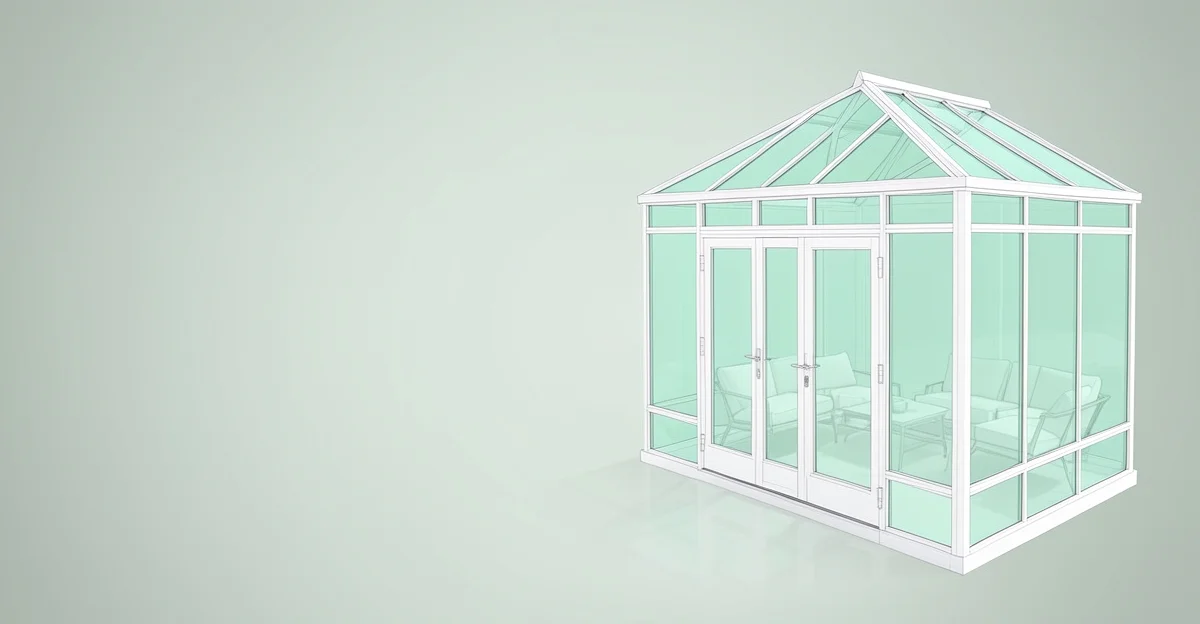
A sunroom configurator lets a customer choose the roof, the glazing, the doors, the size, and the colour, then send a quote request with the whole design attached. A sunroom is a room-sized purchase, so the lead that arrives this way is already specific: roof style, door type, dimensions, and finish.
This is a bigger-ticket, longer-consideration buy than a roof or an awning. A configurator keeps the customer engaged through that long decision and gives your sales follow-up a concrete design to price.
What the buyer configures
| Choice | What the customer picks |
|---|---|
| Roof style | Full glass, solid insulated, or a hybrid roof |
| Glazing | Wall glazing extent, plus insulated or solar-control glass |
| Doors | Sliding, French, or bifold |
| Dimensions | Width, depth, and height, within the limits you set |
| Frame colour | RAL or your standard palette, shown in real colour |
| Extras | Heating, blinds, ventilation |
A sunroom is a room-sized decision. The buyer who has designed theirs in 3D arrives at the quote already committed.
Sunroom or veranda?
Customers search for both and the difference matters for what you build. A sunroom is fully enclosed and insulated for year-round use, with glazed walls and proper doors. A veranda is a covered terrace with open or sliding sides, used mostly in the warmer months. If your product is the open kind, see the veranda configurator guide. Run a separate page for each, since they are separate searches and separate buyers.
What you need to go live
The main input is a 3D model of your sunroom in GLB or glTF format. If your manufacturer supplied CAD files, converting them to GLB is usually straightforward. The platform wraps the model with the option controls and a quote-capture form.
CPQ3D works with your model through a single script tag on your product page. No subscription, and the first 10 quote requests are free. Volume packs start at €3.50 per request. There is no demo call required to start.
The short version
- Expose roof, glazing, doors, size, and colour. Keep structural detail for the quote.
- Show real frame colours and glass so the customer reacts to the actual look.
- Keep the sunroom and veranda pages separate, since each is its own search.
Common questions
What is the difference from a veranda configurator? A sunroom is a fully enclosed, insulated room. A veranda is a covered terrace with open or sliding sides. See the veranda guide if that fits your product.
Can I show bifold and sliding doors? Yes, if they are in the model. Door style is one of the choices customers most want to see in 3D.
Can I limit sizes to what I build? Yes. Set minimum and maximum width, depth, and height so customers only configure what you can deliver.
See the quote-request flow working end to end: try the live demo.
See what a configurator like this costs, and try one in your browser.